LoreLens
A downloadable tool for Windows
LoreLens reads the notes in your games so you don't have to.
Oh yes. The software that fights walls of text has a wall of text on its front page. You know what to do with it.
In-game notes have always scared me. Yeah, yeah, I know, I'm dumb, TikTok generation and all that. Sometimes it's honestly hard for me to read those notes. Sometimes I'm just not vibing with it, sometimes I only want to smash monsters and go grind. And let's be honest: not every text in a game is written with the same care as the main story, and writing talent is clearly not handed out equally.
What tilted me the most was yet another asset-flip survival game deciding to hide its content behind notes. I'm here to build a base, grind and craft. I could not care less about the story of a dead world, hello?
So I made LoreLens. It's software that takes the AI "everybody hates" and uses it for good, to fix the problem I ran into. You hit a button. The software spots the note and feeds it to a neural net, which draws the conclusions and cleans the text of artifacts. Want the whole thing read aloud, you got it. Want just the gist, same.
Great game with interesting notes? The voice reading only adds to the atmosphere.
Boring game that hides content in notes? The hints and the journal will dig it out for you.
Small text is hard to read, dyslexia or low vision? You can just listen to the note.
I added a bunch of ways to plug in AI, from subscriptions you already have to local models. I spent a long time thinking about how to make the journal interesting, and came up with a system of marks for the facts from notes, a kind of collecting mini-game.
I don't collect your data. Your text goes only to the services you plugged in yourself, and with a local model and the built-in voice it goes nowhere. The text recognition is done by Windows OCR anyway. I just took every technology I could reach, added my pain, and packed it into one app.
Who made this and how
I'm a professional programmer. I used to write code by hand, now I don't. I came up with the design myself, but Claude wrote it. I came up with the structure of the program myself, the architecture was invented for us by smart people long ago, I just asked for it to be built. Claude helped with the texts too, because I forget commas and periods and make simple mistakes. Because I'm lazy. Yes, I'm lazy, and this software is for lazy people. I hope there are still some of you out there and you won't yell at me for being lazy.
What it gave me
This software opened up The Witcher for me, a game I could not play before. Now I'm planning to go through Baldur's Gate in a completely different way: in my first run I killed Karlach without reading the text, and who knows how much more is hidden from me in there. LoreLens helped me move from endless hack and slash, in games where the story ships as a txt next to the exe (hi, Carmack), to games where a lot is hidden in the text. Who knows, maybe I'll even get through Planescape: Torment with it. I haven't tried.
But you try it and leave feedback in the comments below: what to add, what annoys you and what's broken.
Love you all. Yes, I get that games and AI are antagonists right now. I'm not a big fan of AI either, for my own reasons, but unfortunately this is the world we have to live in.
"Thou shalt not make a machine in the likeness of a human mind."
What it's made of
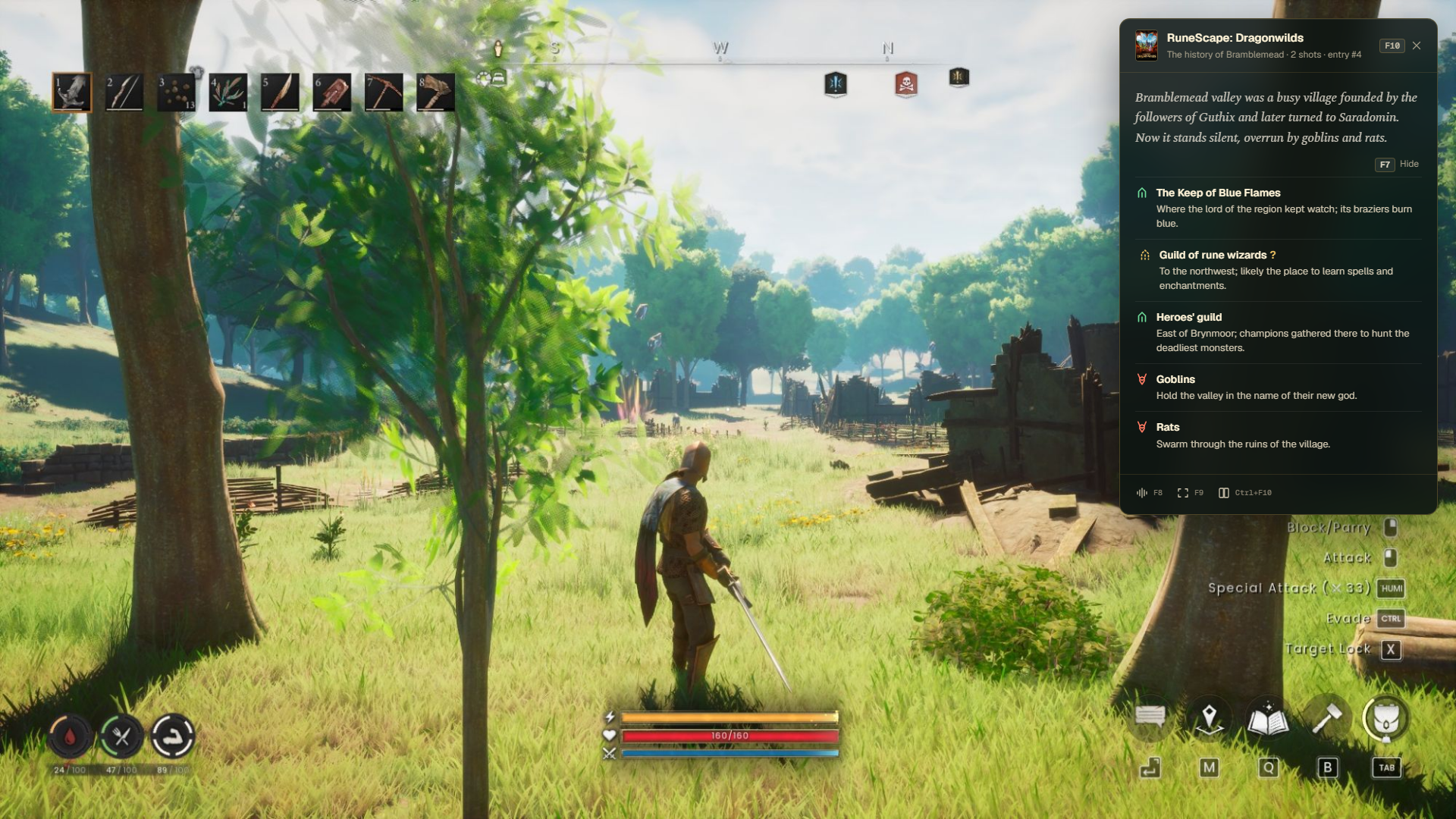
The overlay. It shows up over your game. It gives you the story of a note in a couple of words and bullet points of what's in it that's useful for gameplay. There are also a few indicators: recognition in progress, voice reading in progress. It's all very simple.
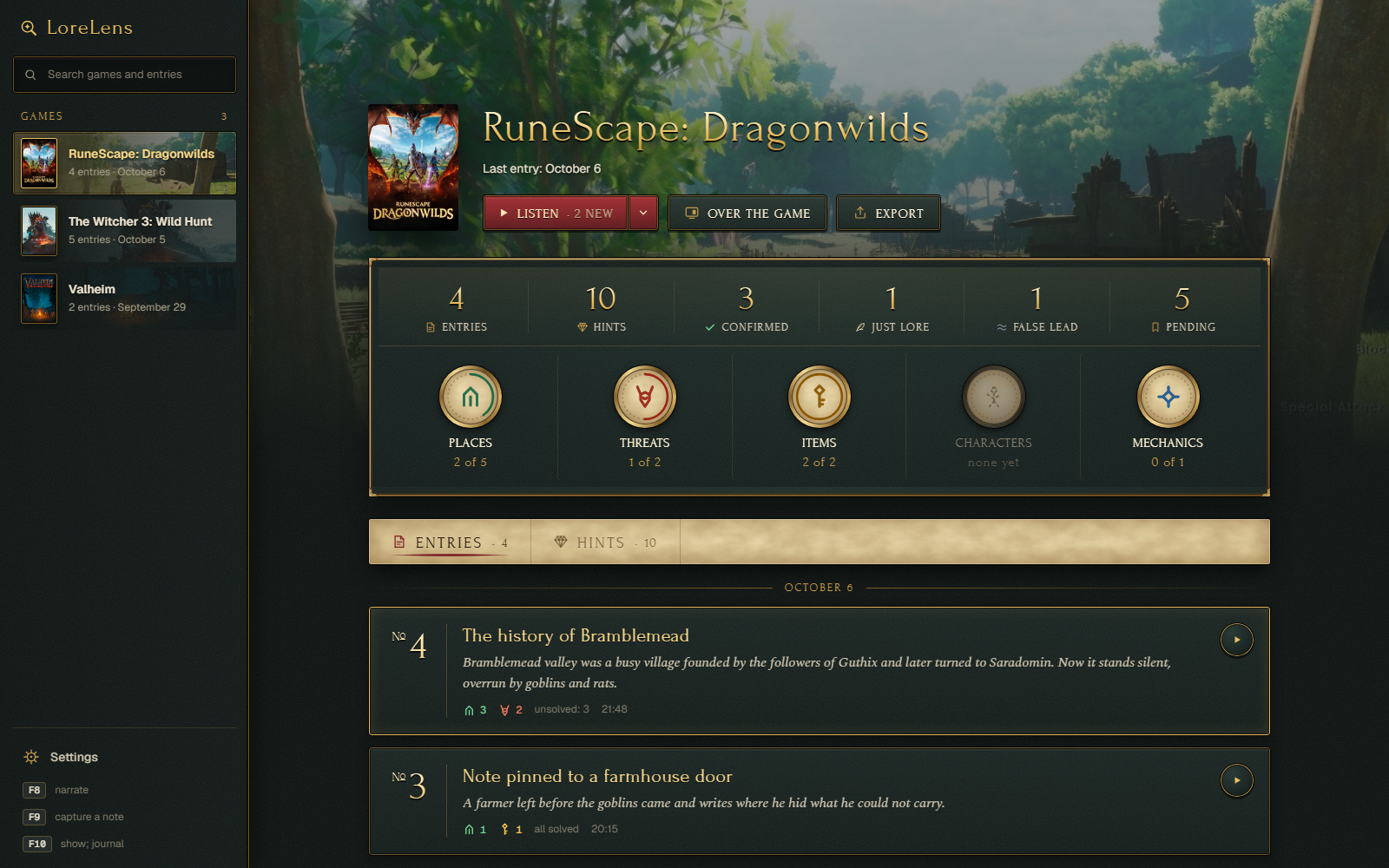
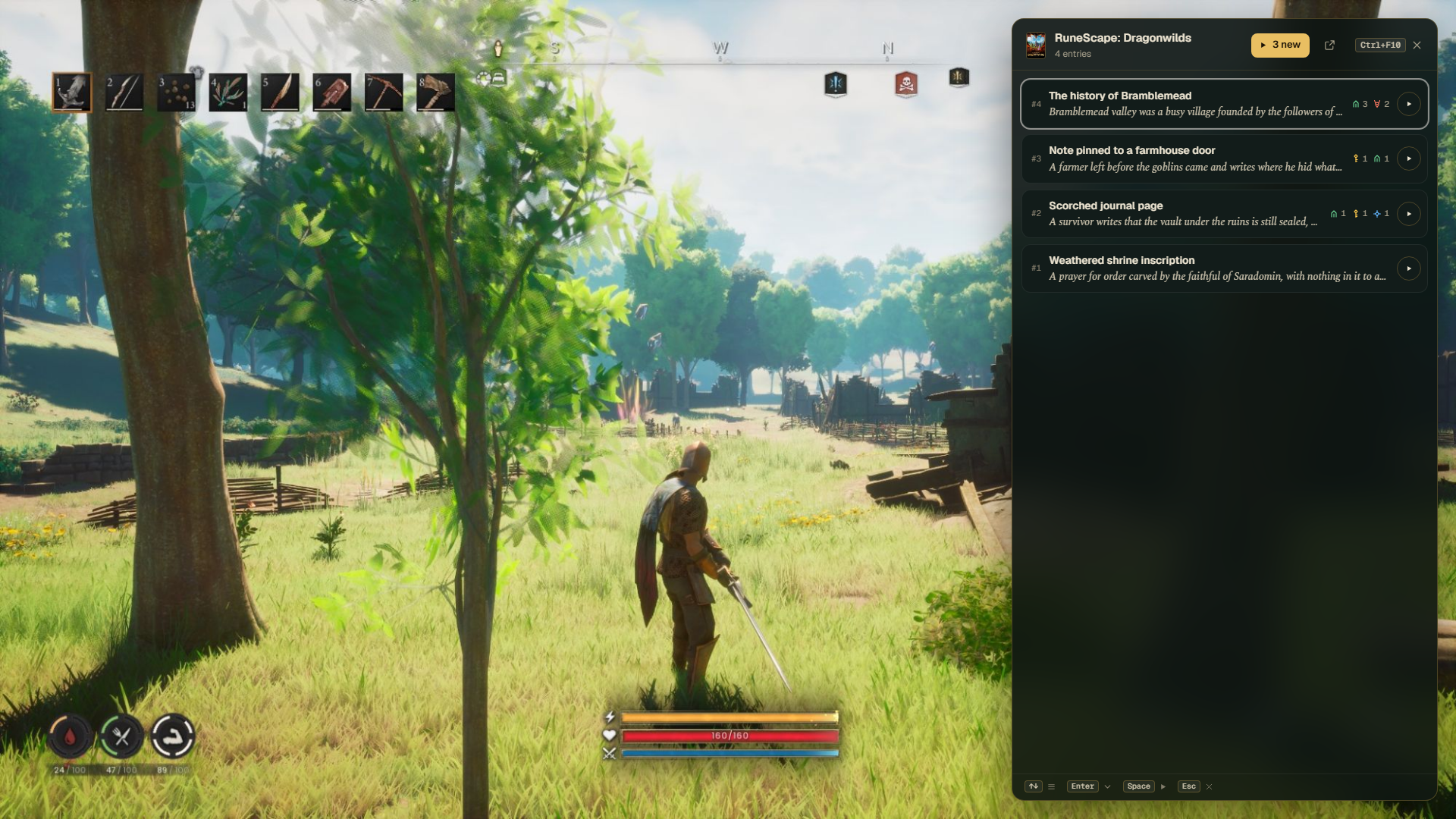
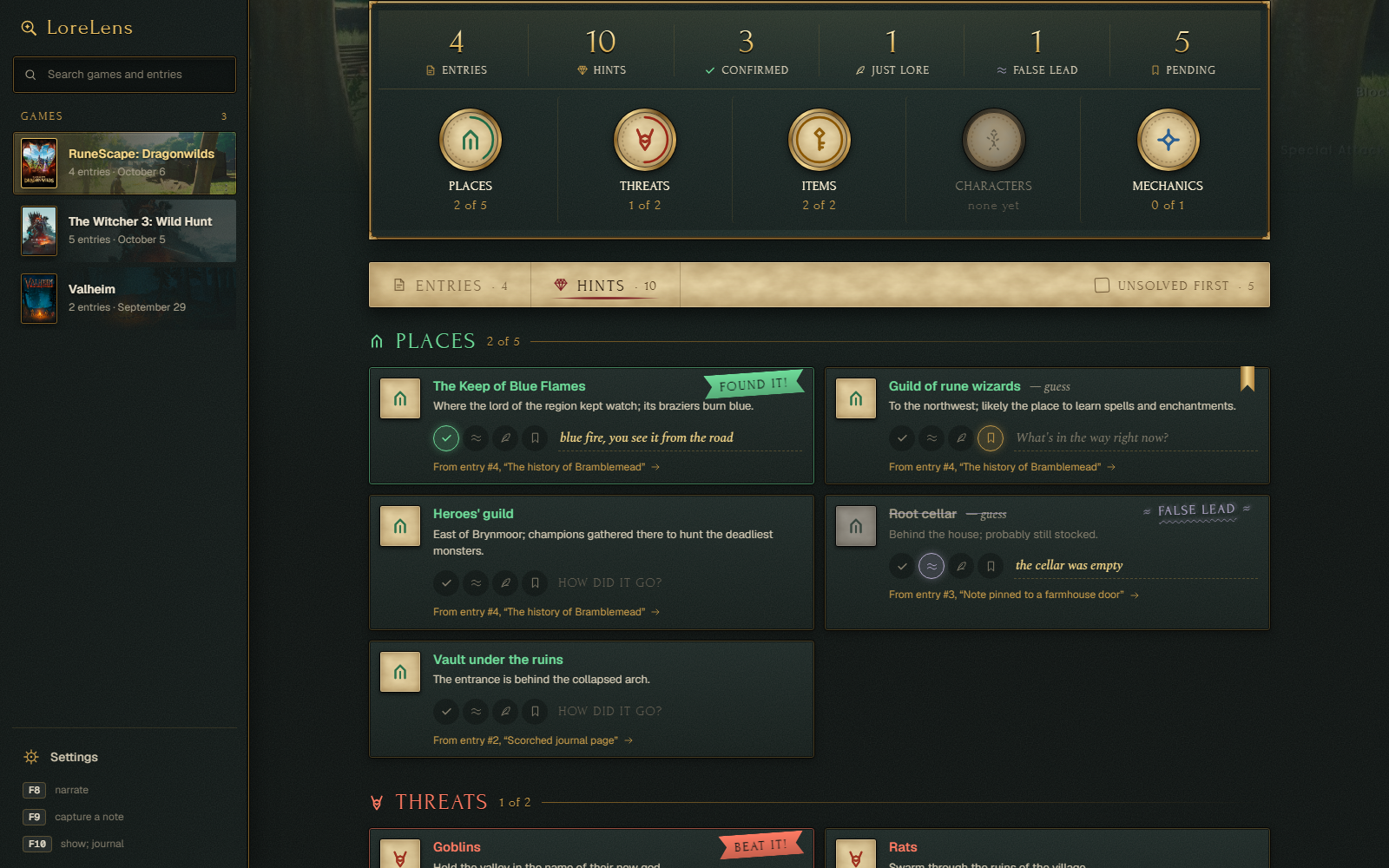
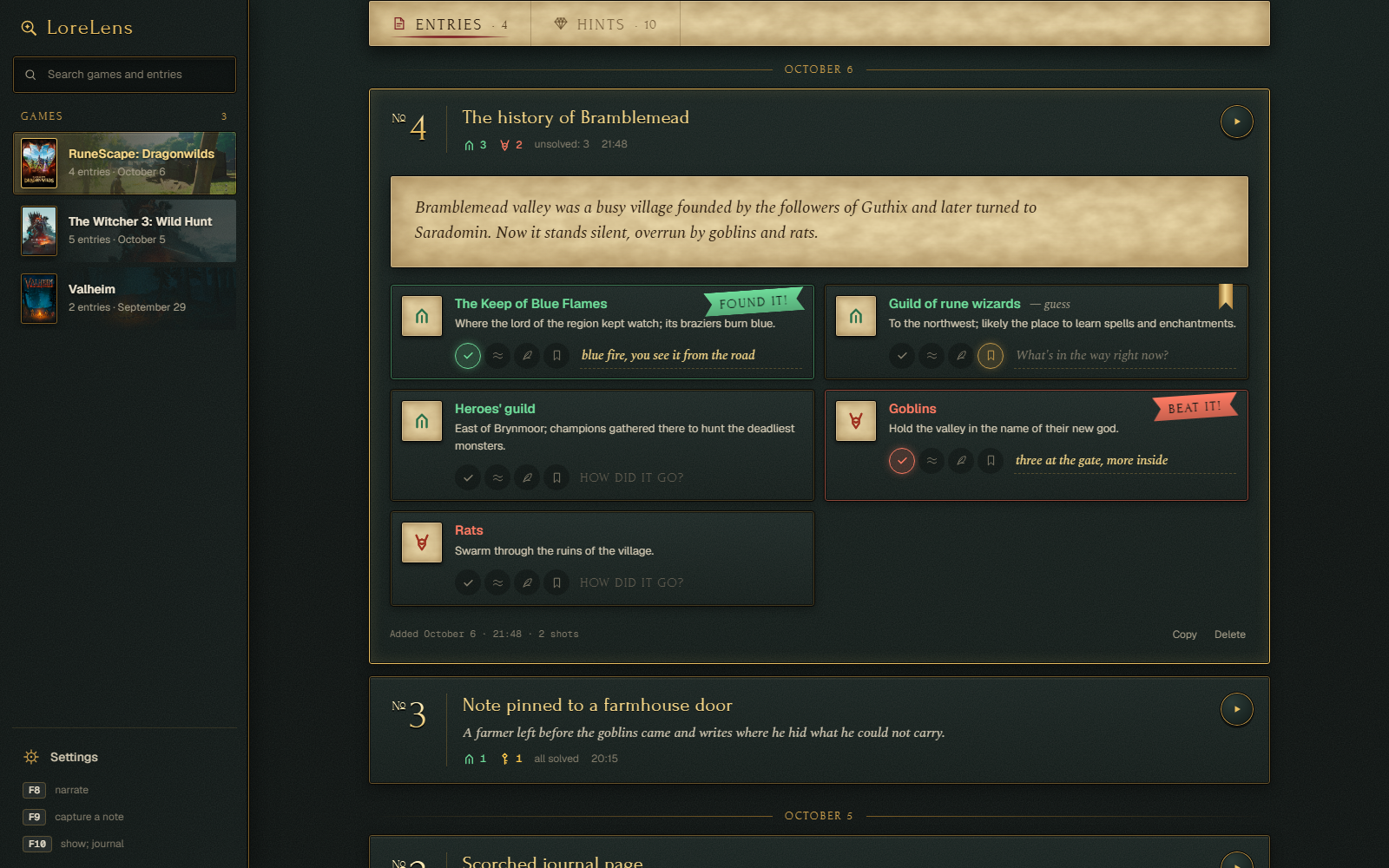
The journal. It's the history of your run-ins with notes, and you can play with it. The neural net pulls the gist out of a note: items, places, characters, mechanics. It might hallucinate. So might the author of the note, a living human. Or the translator. That's why you check the hints yourself. You go, you test it in the game, and you put a mark on it: "Found it!" if it came true, "False lead" if somebody lied, "Just lore" if it's true but there's nothing to do with it, and "Later" if you'll check later. You can add a few words for yourself to the mark. If you have a second screen, the journal looks pretty good on it, that's how I use it myself. And you can listen to every note you found in a row, like an audiobook, while you work or play something else. Stuff happens.
The recognition. The software finds the note on screen by itself: it looks for the biggest block of text. Or you can pick the text area right with your mouse, which is sometimes really handy. Then there are three modes to pick from:
- Auto. Windows recognises the text, which is fast and many times cheaper over an API. If it can't handle the font, the neural net gets the pictures
- Text. Recognised text only, pictures are never sent
- Pictures. The neural net looks at the frames themselves. Costs more, but handles fonts Windows can't read
How to use it
There are three keys, and they sit next to each other.
- F8, speak. Reads the gathered note aloud: no panel opens, you keep playing. Nothing gathered? It finds the note itself and reads it
- F9, gather. Finds the text on screen and takes a frame. Note longer than the screen? Scroll and press again, and so on to the end
- F10, show. Opens the gathered note as text: the story in two sentences and the hints. Nothing gathered? It opens the game's journal over the game
There is one rule: holding F8 or F9 means "I'll show you myself". The screen dims and you draw a frame around the note. Handy when the software grabbed the wrong text.
How it goes in a game:
- No time to read. F8, and the voice reads while you play
- I want to read it myself. F9, then F10
- A long note or a book. F9, scroll, F9 again, and so on to the end. Then F8 or F10, and you get one entry from all the pages
- The software grabbed the wrong text. Hold F9 and draw a frame around the note
- Remembering what I already found. F10 with nothing gathered opens the journal
Hints in the panel are hidden from spoilers, F7 reveals them. Ctrl+Shift+F10 opens the journal in its own window, so you can move it to a second monitor. Every key can be changed in the settings.
And don't worry: all of these instructions are repeated many times inside the app. If you get lost, I'll be very surprised.
What's next
- Add more languages
- Come up with new features for the journal. I have a lot of ideas, not telling yet
- Something has to be done about gamepads. Not clear what yet, I'm looking into it
- Test even more local voice models and let you install your own
- Other operating systems. Windows only for now, let's see if anyone needs this on more than one computer at all
There's also a thought that all of this could get some kind of social part later, something like a playthrough diary. But we'll see about that. You suggest stuff to add too, don't be a chicken.
Boring but necessary
- Windows 10 or 11
- The game must run in borderless windowed mode. In exclusive fullscreen LoreLens can't show up over the game
- You need access to a model, any of three ways: a Claude or ChatGPT subscription (through Claude Code or Codex, no extra cost), a local model through Ollama or LM Studio (free and offline), or an API key (OpenRouter, OpenAI, Gemini, Anthropic)
- There is a free voice that runs right on your PC. OpenAI and ElevenLabs voices work with your own key
- Games are recognised automatically only on Steam. Notes from everything else go on a shared "No game" shelf
- Interface in English and Russian
- Version 0.2, early. Something is definitely broken, see the part about feedback
Download
Click download now to get access to the following files:
Development log
Leave a comment
Log in with itch.io to leave a comment.